Analytics and the web pixel for Badges on Shopify
The Analytics page shows how each badge performs in your store: how many times it was shown, how many times it was clicked, how many times a product with a badge was added to the cart, and how many orders had a product with a badge. Analytics depends on your plan. If the page reads Analytics is not included for this store yet., your plan does not include it yet. See the plans on the App Store listing.
When to use this article
- You want to read the numbers on the Analytics page.
- You want to know what the web pixel that the app installs sends.
What the Analytics page shows
Open Analytics from the app menu. Choose the Period: 7 days, 30 days, 90 days or Custom. Days are in store time. You can filter the numbers to one badge in Badge, or show All badges.
| Number | What it means |
|---|---|
| Badge views | How many times your badges were shown to shoppers. |
| Clicks | How many times shoppers clicked a badge, with the Click rate. |
| Add to cart | How many times a product with a badge was added to the cart. |
| Orders | Orders with a product that had a badge. |
| Revenue | The revenue of the order lines that had a badge, in your store’s currency. |
Below the numbers, the Each badge table lists views, clicks, add to cart, orders and revenue per badge, and Top products lists the products whose badges were seen most.
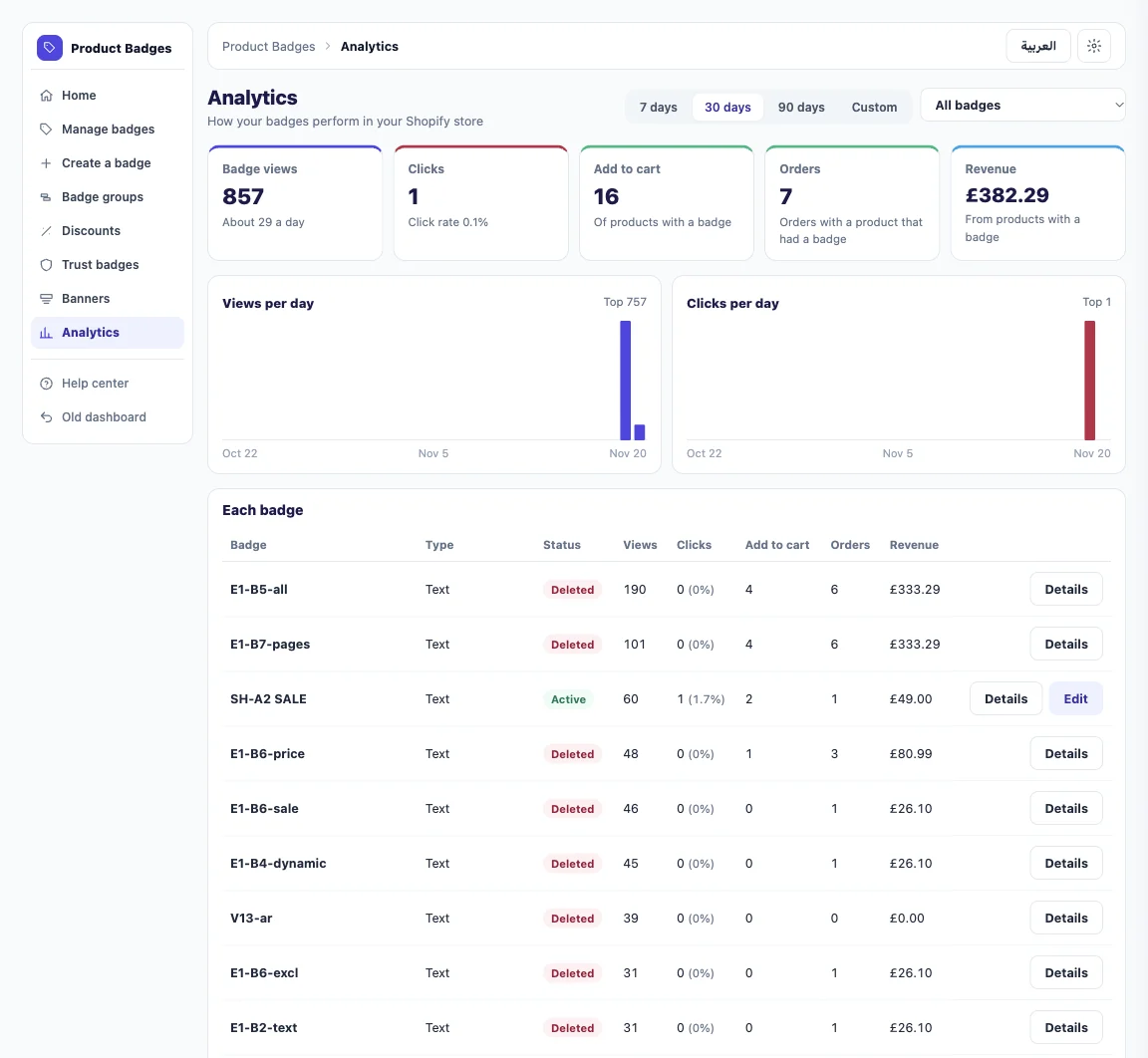
If you see No numbers yet, the numbers appear once shoppers see your badges in your store. This can take a few minutes.
How the numbers are counted
- Views and clicks: the badge script in your store sends the badge ID and the product ID when a badge is shown or clicked. No cookies and no personal data about shoppers.
- Add to cart and orders: counted by the web pixel that the app installs in your store when you install it.
The shopper's browser keeps a small note of which badges were shown on which product and when, so that an add to cart or a purchase can be tied to a badge. The note holds no personal data.
What the web pixel sends
The pixel runs inside Shopify's sandbox and sends only two events:
- When a product is added to the cart: it sends your store's domain, the IDs of the badges shown on that product in the last 30 minutes, and the product ID.
- When a checkout is completed: for the products that carried a badge in the last 7 days, it sends the badge ID, the product ID, the revenue of that order line and the currency, together with a one-way hash (SHA-256) of your store's domain and the order ID.
The pixel does not send the order ID itself, and no name, email address, address or customer ID. The hash lets us count each order once. If a product had no badge, nothing is sent.
The app declares the pixel to Shopify as an analytics pixel, with no marketing use and no sale of data, so it runs according to the privacy choices the shopper makes in your store.
The app does not show the pixel's status. The sign that it works is that Add to cart and Orders show numbers after shoppers add products with badges to the cart and buy them.
Pause or resume tracking
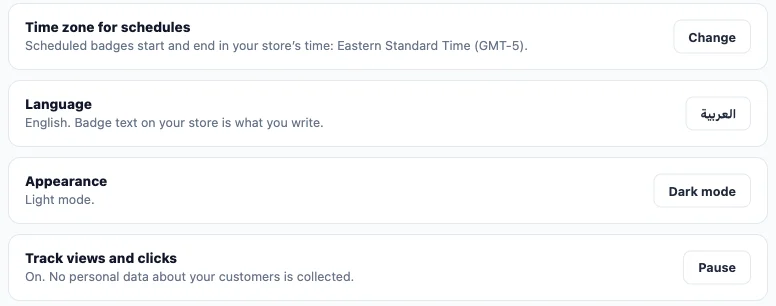
In Settings, under Track views and clicks, click Pause to stop counting views and clicks, and Resume to count again. While paused, the Analytics page shows Tracking is off. No new views or clicks are collected until you turn it on. and an Open settings button.
Check that everything works
- In Settings, the Track views and clicks status says it is on.
- After shoppers browse products with badges, Badge views shows in Analytics within minutes.
- After a product with a badge is added to the cart and a purchase is completed, Add to cart and Orders show numbers.
If no numbers show
- Make sure the app embed is on. See Install Badges on Shopify and turn on the app embed.
- Make sure tracking is not paused in Settings.
- Adds to cart and orders are not counted for a shopper whose privacy choices do not allow analytics tracking.
- An add to cart counts only if the badge was shown on the product in the last 30 minutes, and an order only if it was shown in the last 7 days.
- Badges shown on the cart page count as views only. They do not count toward add to cart, orders or revenue, because the shopper sees them after adding the product.
Related articles
Did this article answer your question?