Start from a ready-made example, then edit it
Pick an example from our demo store, and we copy its customization to your product as a draft for you to edit.
Steps
Path: Products > Open Product Studio > From our demo store
- Open Products from the app menu.
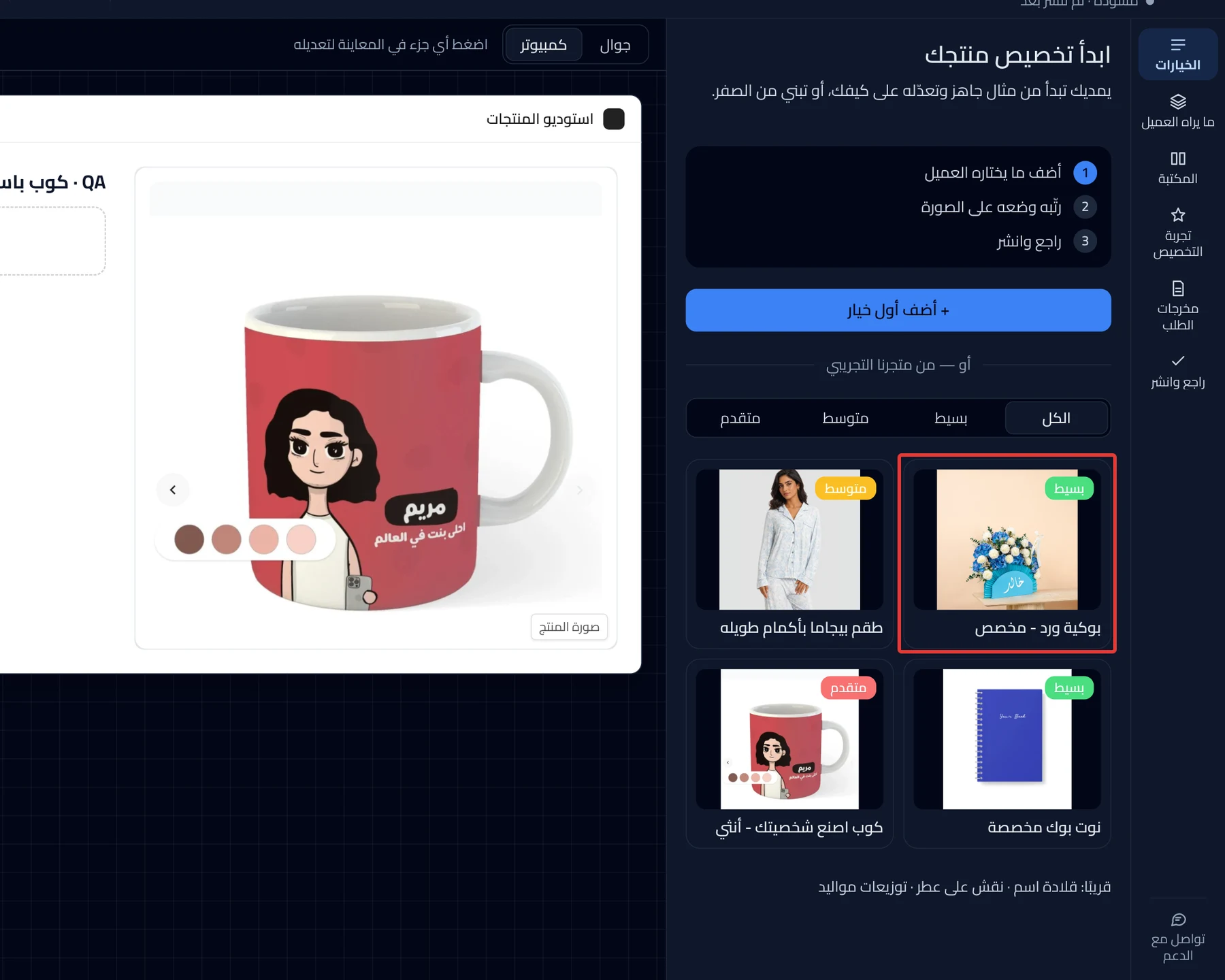
- Click Open Product Studio on the card of a product that has no options yet. The Studio opens on Start customizing your product.
- Optional: choose a level, such as Simple, Medium or Advanced. Only the examples for that level show, and All shows them all.
- Click the example card closest to your product. Each card shows an image, a level and a name. Options opens, and the message "Example added. Not right? Undo and try another" appears.
- Optional: to cancel the example, click the undo button at the top of the Studio before you make any other edit. The draft goes back to having no options.
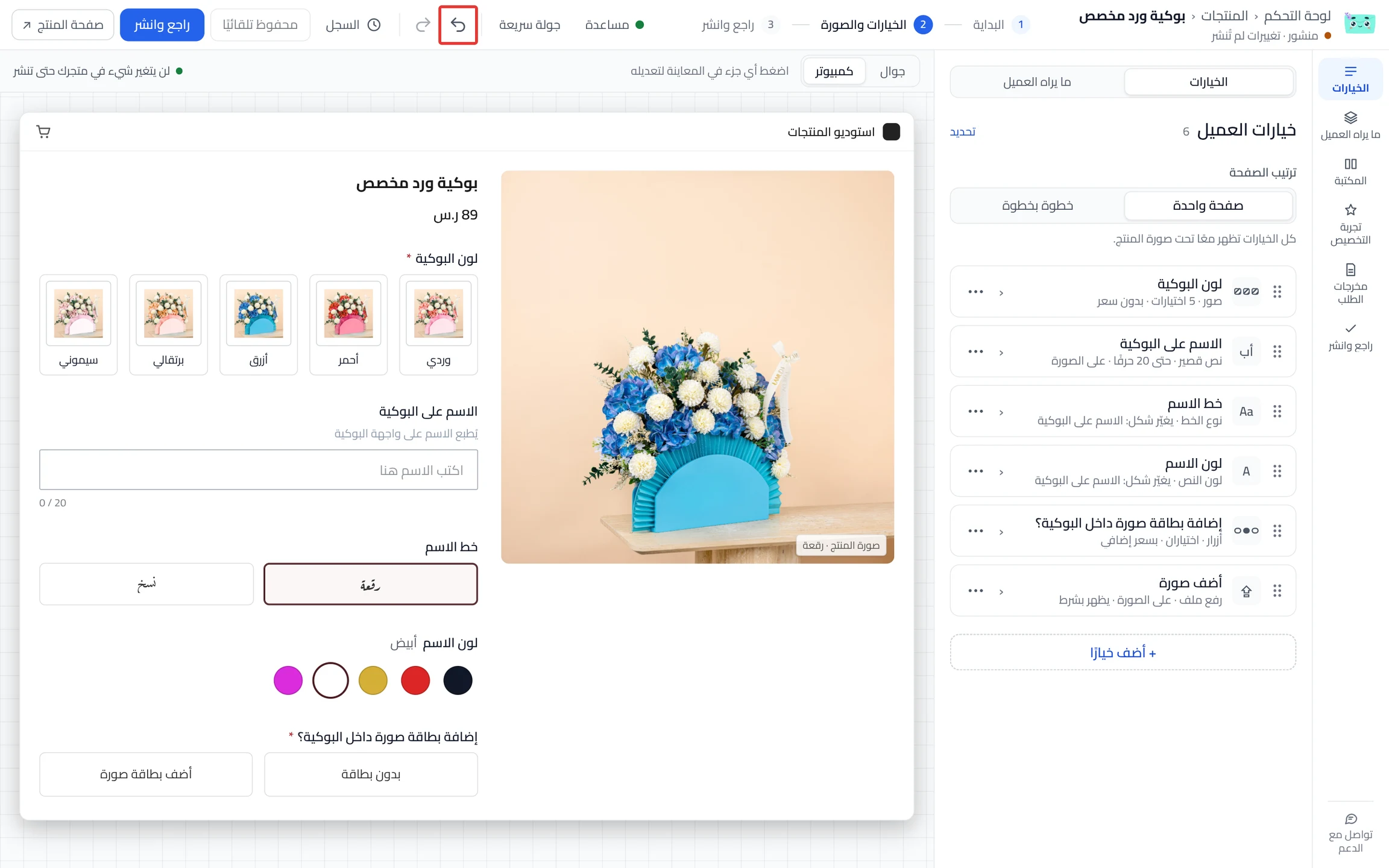
- Edit the options in Options to fit your product. Your edits are saved as a draft.
- Click Review & publish, then Publish now.
On a phone, the Review & publish button is at the bottom of the screen.
What your customers see
Before you publish, customers see nothing from the example. After you publish, customization shows in your store within about a minute, with the edits you made. Each customer's choices arrive with their order.
Good to know
- Examples work only on a product with no options. An example is never copied over existing options. On a product that has options, clicking an example card does nothing.
- The example arrives as a draft, and your customers do not see it until you publish. The example does not add options to your product in Salla.
- Publishing alone does not add a priced option to Salla. Click Add the options to Salla first. After you confirm, the button adds the options to your product in Salla right away. This happens before you publish.
Not showing?
- You do not see the examples, or nothing happens when you click one? Your product has options. Click Start over as described in Version history settings, then choose an example.
- The customization widget does not show on the product page
- Does the Publish now button not work? See Fix what stops your product from publishing.
Next
Did this article answer your question?