Set the bundle price or discount
If any product has options, you enter a discount percent. Otherwise, you enter a fixed price.
Steps
Path: Bundles > New bundle > Price
-
Click Next after the Options step. See Choose product options inside a bundle.
You do not choose the price type yourself. If any product has options, Bundle discount shows. Otherwise, Bundle price shows.
-
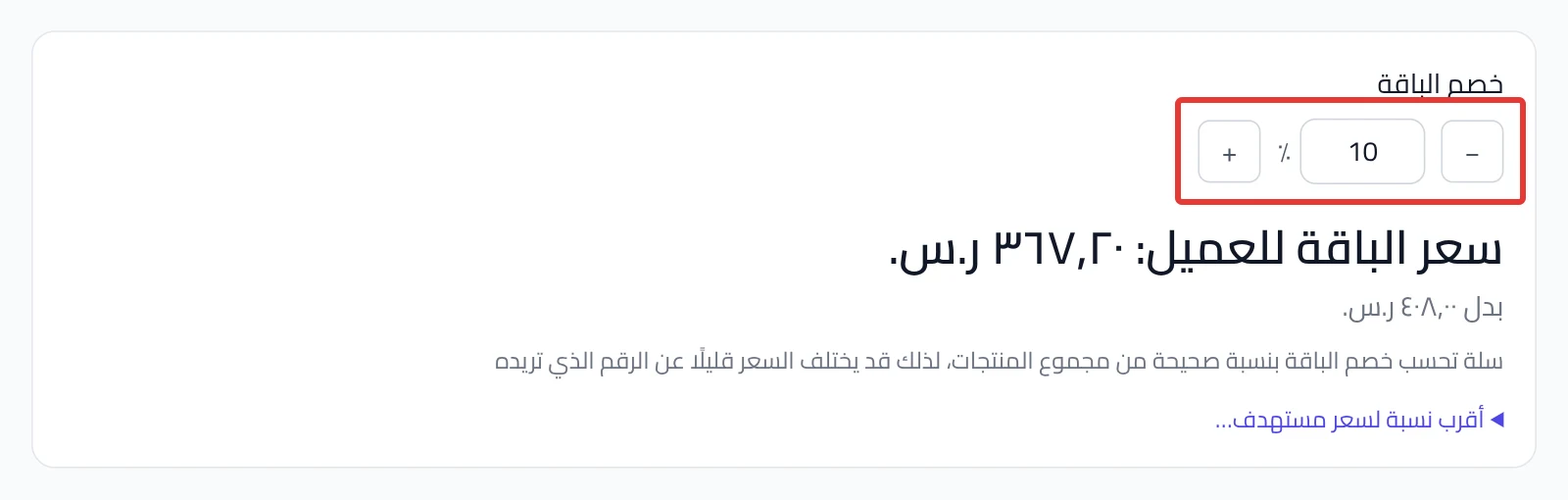
If Bundle discount shows, enter a percent from 0 to 90, or click − and +. Under it, "Shopper pays:" shows with the total before the discount.
-
Optional: click Closest percent to a target price…, enter the price you want, then click Suggest. We apply the closest whole percent right away. A price above the products total is not applied.
-
If Bundle price shows, enter the amount the customer pays. It must be more than zero.
Under it, "Bought separately:" shows so you can compare.
-
Optional: enter a Price before discount higher than the Bundle price. The customer sees it struck through next to the bundle price.
-
Click Next to add the name and images. We do not save anything until you click Publish in the last step.
Publish creates the bundle in Salla at this price right away.
What your customers see
With Bundle price, the customer pays the amount you entered. If you entered a Price before discount, they see it struck through. With Bundle discount, Salla calculates the price from the product prices and the percent. The step also shows this note: "Salla applies the bundle discount as a whole percent of the products total, so the final price may differ slightly from the number you have in mind".
Good to know
- With Bundle discount, the price follows the product prices in Salla. If a product price changes, the bundle price changes without any step from you.
- With Bundle price, the price stays as you entered it, even if the product prices change.
- In a published bundle, click Edit on the Price card, then Save. The price changes in Salla right away.
Not showing?
- Does the Next button not work? Make the Price before discount higher than the Bundle price, or leave it empty.
- Did a warning say the customer sees no saving? The bundle price is equal to or above the products total. The warning does not stop you from continuing.
- Does "Expected price after update" show after you save? Salla has not confirmed the new price yet. Wait until the update finishes.
- Did publishing stop, or does it ask for a repair? See the fix in Bundle not published or asks you to Repair & publish.
Next
Did this article answer your question?