Choose where the customer's choice goes in Salla
For each option in the Studio, you choose where the customer's choice reaches you in the Salla order.
Steps
Path: Options > open the option > Where does the customer’s pick go in Salla?
- Click Options and open the option you want.
- Click Where does the customer’s pick go in Salla? to open it. It starts closed.
- Choose one of three:
- Order note: the choice is written in the order note, and nothing changes in your product in Salla.
- New Salla option: we create the option in your product in Salla. Choose it if the option has a price or stock.
- Existing Salla option: link it to an option you created in your Salla dashboard, and match each choice to its value.
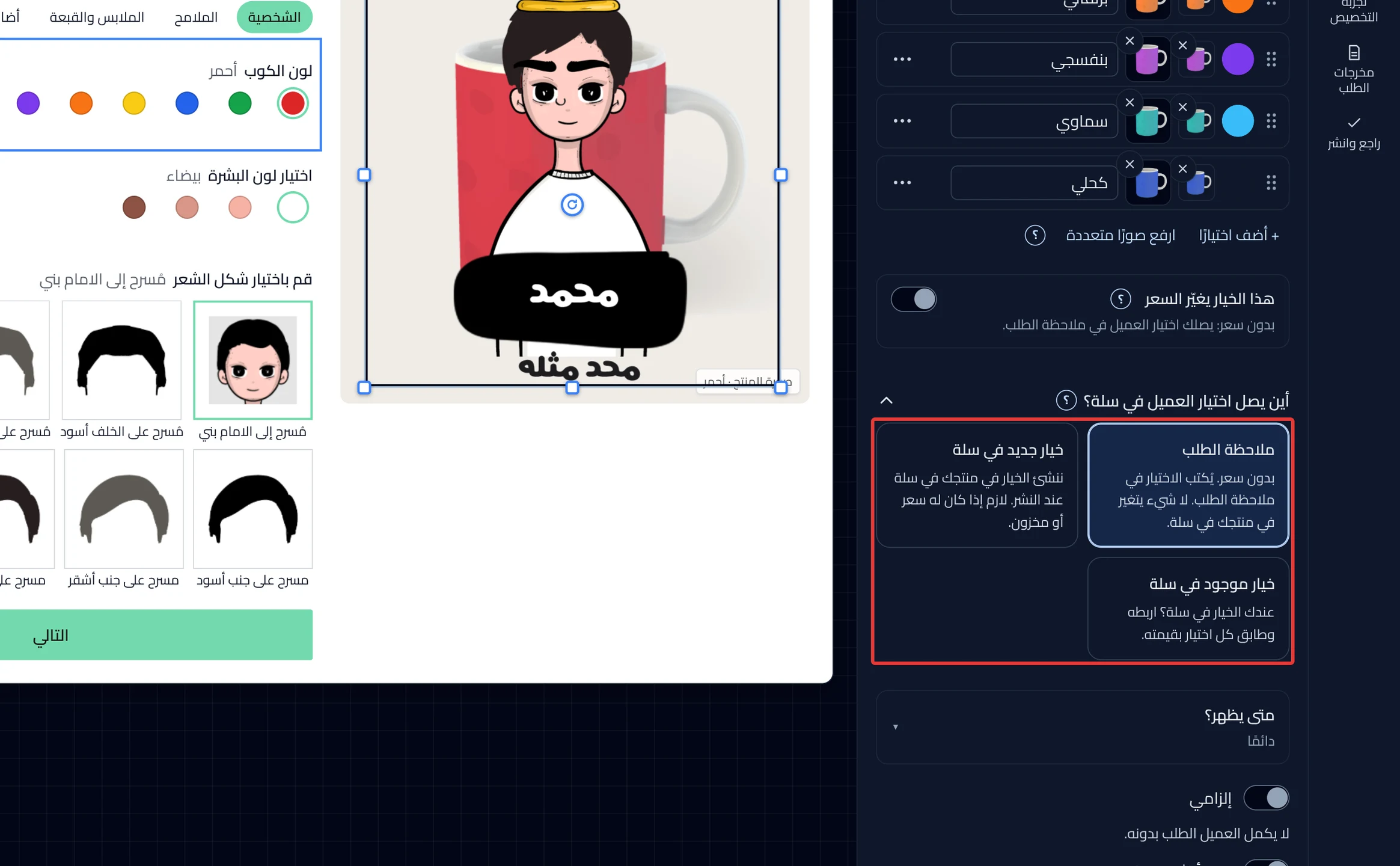
- Did you choose Existing Salla option? Choose the option from Choose a Salla option.
- Did you choose New Salla option? Click Add the options to Salla on the price card inside the same option, then confirm the message. After you confirm, the button adds the options to your product in Salla right away, before you publish.
What your customers see
The customer makes their choice the same way. The difference shows for you in the Salla order. With Order note, you find the choice in the order note. With the other two, the choice arrives as an option on your product in Salla.
Good to know
-
A new option starts on Order note, with no price.
-
Publishing alone does not add a priced option to Salla. Click Add the options to Salla first. See how in Add the options to Salla and update them after edits.
-
A text option has the same three destinations. New Salla option for text is available on service and digital products only. On a product that ships, the card shows as disabled. In that case, choose Order note or Existing Salla option.
If you stop using a text option we created, publish first. The Delete it from Salla button then appears. Deleting changes your product in Salla right away.
Not showing?
- Cannot find Choose a Salla option? Your product has no option in Salla yet. Create it in your Salla dashboard, then click Refresh Salla options.
- Does a Choose the destination again button appear? Some choices still go to another destination. Click it and choose the destination again.
- If a Product options in Salla button appears under Fix before publishing, it opens a list of every option and where it goes.
- Cannot find the choice in the order note? See Customer choices do not show in the order note.
- For the meaning of each setting, see Price and Salla settings in an option. All the Salla articles are in Prices and bundles in Salla.
Next
Did this article answer your question?