Plans, billing and wheel views on Shopify
Each Lucky Wheel plan includes a number of wheel views a month. Shopify bills you for the plan. The app never charges you more and never moves you to a bigger plan by itself.
When to use this article
- You want to choose or change your plan.
- You got an email that your wheel views are running out.
Plans
| Plan | Price (monthly / yearly, USD) | Wheel views a month | Free trial |
|---|---|---|---|
| Free | 0 | 3,000 | – |
| Starter | 9.99 / 95.90 | 15,000 | 14 days |
| Growth | 19.99 / 191.90 | 60,000 | 14 days |
| Pro | 39.99 / 383.90 | No limit | 14 days |
The prices on Shopify's plan page are the ones you pay.
Billing
Shopify bills you for the plan, with your other Shopify charges. You choose and change your plan on Shopify's plan page.
Change your plan
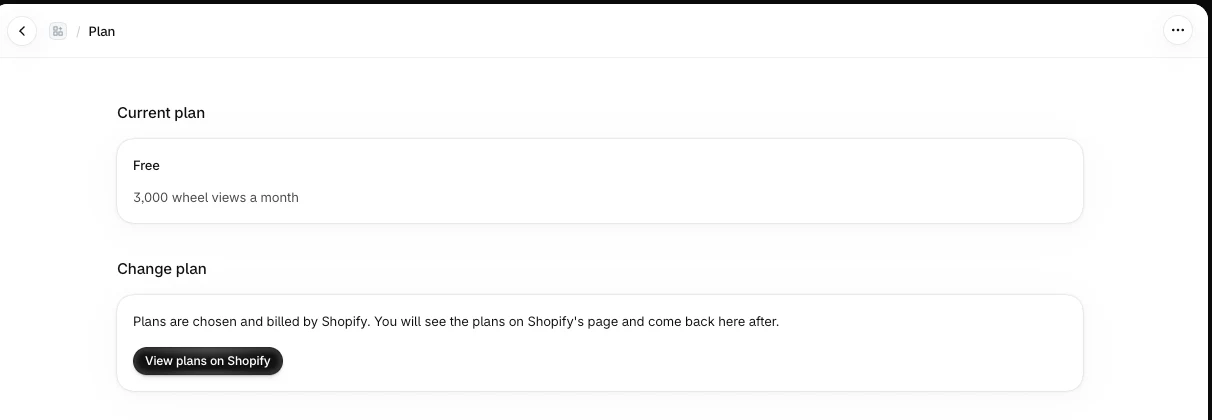
- In the app menu, click Plan.
- Under Change plan, click View plans on Shopify.
- Choose a plan on Shopify's page and approve it.
- Shopify brings you back to the app. Current plan shows your new plan and its views.
If you cancel a paid plan
A plan you cancel on Shopify stays in force until the end of the period you already paid for: the end of the billing cycle, or the end of the free trial if you are still on one. From then on the app treats your store as Free, with 3,000 wheel views a month. If Shopify gives no end date, the Free plan applies at once. Home, the view limits and the storefront all use the same rule, so they agree.
What counts as a wheel view
A view is counted when the wheel opens in front of a visitor, by itself or after a click on the launcher tab.
These are not counted:
- the launcher tab on its own;
- the preview and Test a win in the editor;
- known bots;
- the same device on the same wheel more than once in a day (UTC);
- an hour with an unusual burst of views. None of that hour's views count, so a burst of fake views cannot use up your plan.
When your views reset
- Paid plans: at the start of each billing cycle. Yearly plans reset every month from the day the plan started.
- Free plan and free trials: on the 1st of each month (UTC).
When your views run out
- At 80% of your monthly views, you get an email. Nothing changes on your store.
- At 100%, you get a second email. The wheel keeps showing for a while: until you reach 110% of your views, or for 48 hours, whichever comes first.
- After that, the wheel stops opening on your store until your views reset or you change your plan.
The app's Home page shows a banner too, at the same moments:
- From 80%: "You have used 80% of your wheel views this period" (it shows your real percentage). It says nothing has changed yet. You can close it.
- From 100%: "You have reached your wheel views for this period". It shows when the wheel stops opening for new visitors. You can close it.
- When the wheel is paused: "Your wheel is paused". It shows the date your views reset. You cannot close it.
Each banner has a View plans button that opens the Plan page.
While the wheel is stopped:
- Codes shoppers already won stay valid.
- Your wheel settings are kept.
- You are never charged more, and your plan never changes by itself.
The emails go to your store owner email from Shopify, in English and Arabic.
The Pro plan has no view limit, so the wheel never stops for views.
FAQ
Will a busy day cost me extra?
No. The app never charges you for extra views. When views run out, the wheel stops until they reset or you choose a bigger plan.
Does the app work with more than one wheel?
The app has one wheel per store.
Related articles
Did this article answer your question?