Print file vs. preview: what is the difference?
The preview is the product photo with the customer's design. The print file is a sheet with only the design.
What it looks like
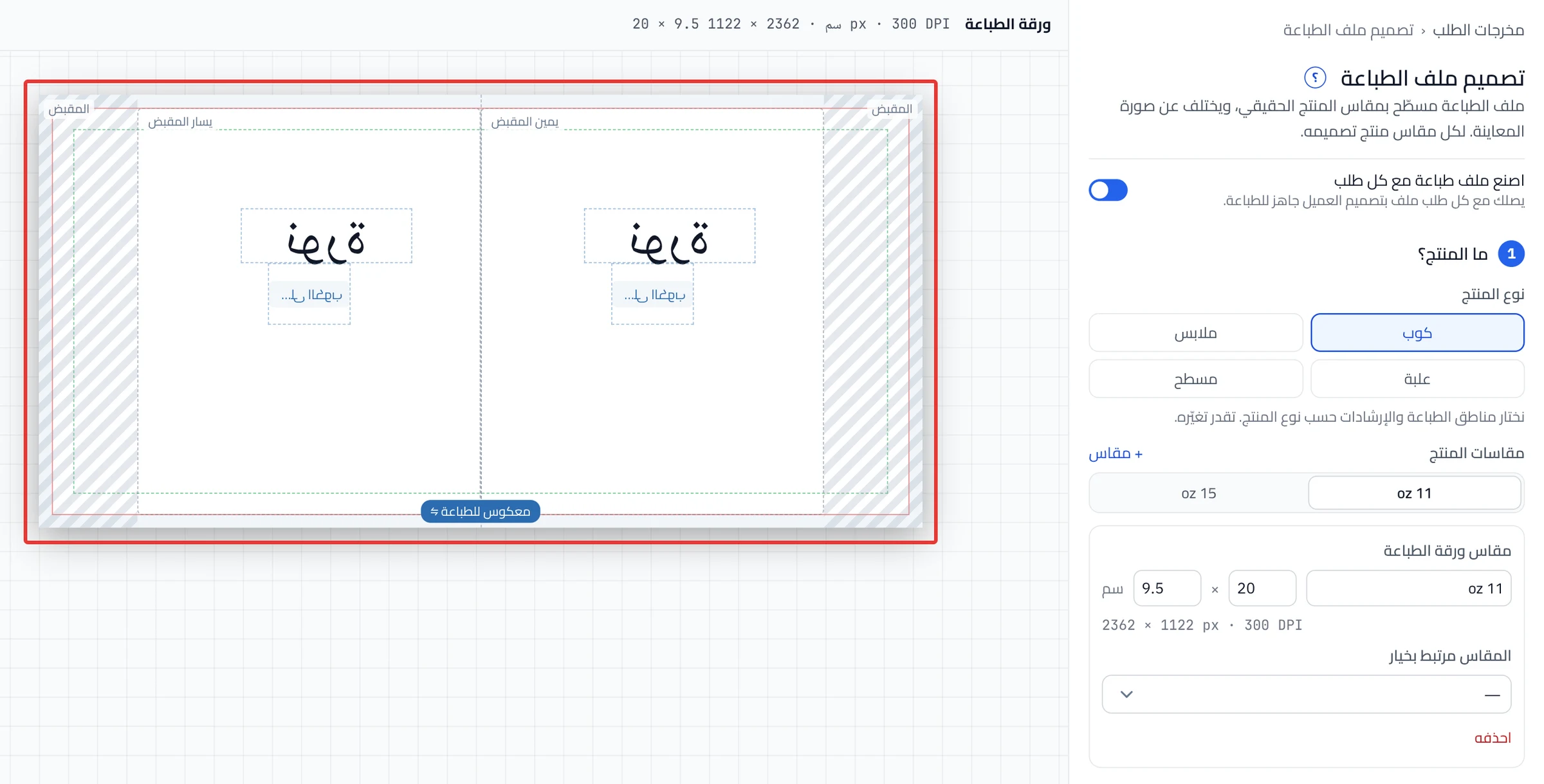
"The print file is flat at the real product size, separate from the preview."
Use it when
- You want to know what prints. The product photo never prints. What goes on the product prints: pictures, text and the customer's images.
- You want to know whether the file follows the customer's choices. Yes, like the preview, at print size.
- Your product comes in more than one size. Each product size has its own layout in the print file.
- You do not want the customer's text cut off. Keep it inside the Safe area, and turn on Show bleed and safe area to see it.
- You changed the print settings. They reach orders after Publish now.
Layout mode
Layout mode has two choices. Auto from preview builds the file from the preview spots. In Custom layout, you move each item on the sheet, and the preview does not change. Dragging an item on the sheet switches you to Custom layout.
Try it
Did this article answer your question?